A digital certificate is a data file that allow, on the one hand, the non-repudiation and the integrity of data, and on the other hand, to identify and to authenticate a person or an organization and also to encode communications.
A digital certificate includes several information, as:
This last point is crucial to verify the trustworthiness of a certificate. For this, when a certificate is received, a chain of trust is built to a certificate authority.
To explain the working of the chain of trust, let’s present some notions:
A certificate authority (CA) is a trusted third party that issues digital certificate and also provide people a way to verify the issued certificate.
It is thanks to the certificate authority that we can know if a certificate has been revoked or is valid.
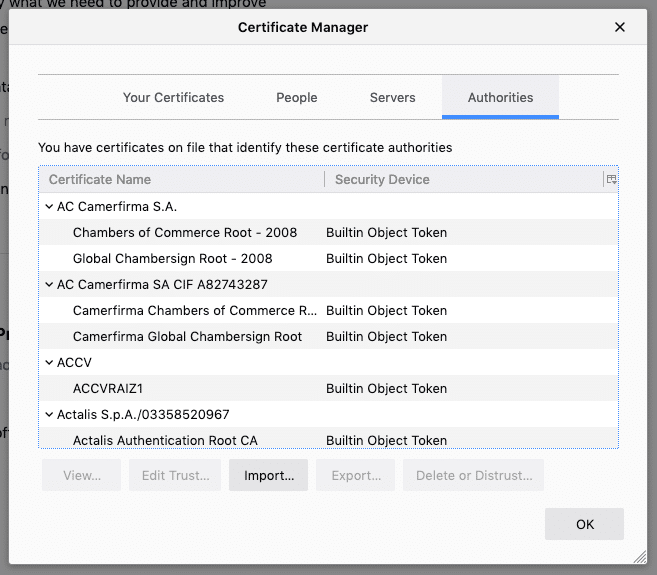
A root certificate is a digital certificate self-signed that identifies a certificate authority. Modern browsers and operation systems include a root certificate roots, and therefore a list of certificate authorities.
For example with Firefox, we can see the list of certificate authorities in:
Preferences > Privacy & Security > Certificates > View certificates
To establish a chain of trust, it only needs to look at the certificate issuers until getting to a root certificate.
Then, if this one is included in the browser or the device, the chain of trust is established.
Let’s take for example https://www.vaadata.com/
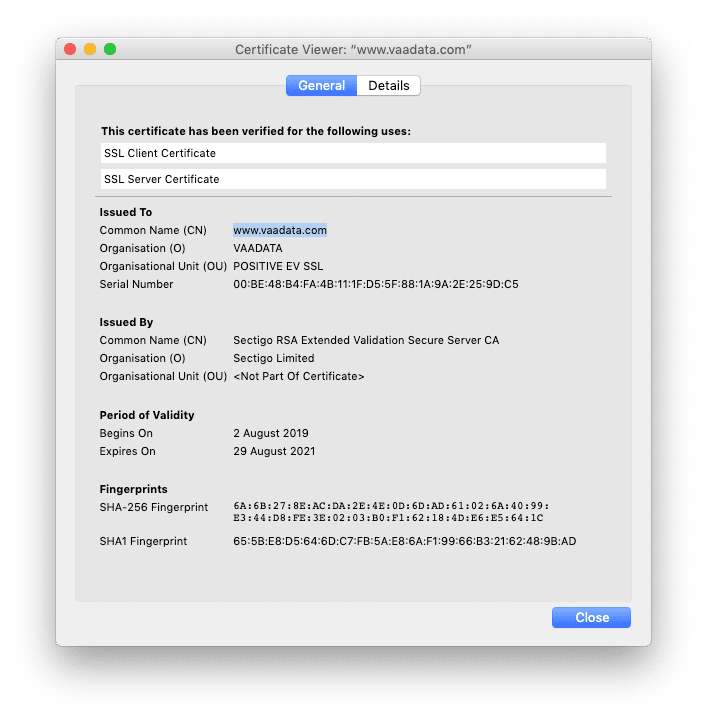
We can see that the certificate has been delivered by Sectigo RSA Extended Validation Secure Server CA. It is then a certificate authority (visible with the CA). The chain of trust with Vaadata has been established.
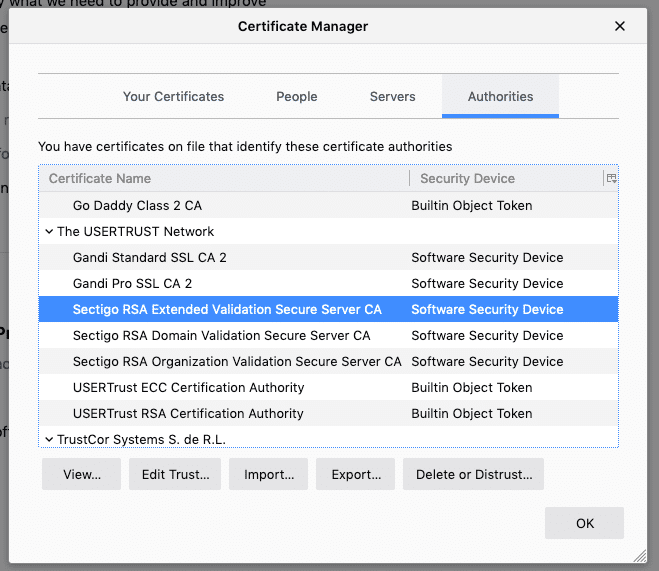
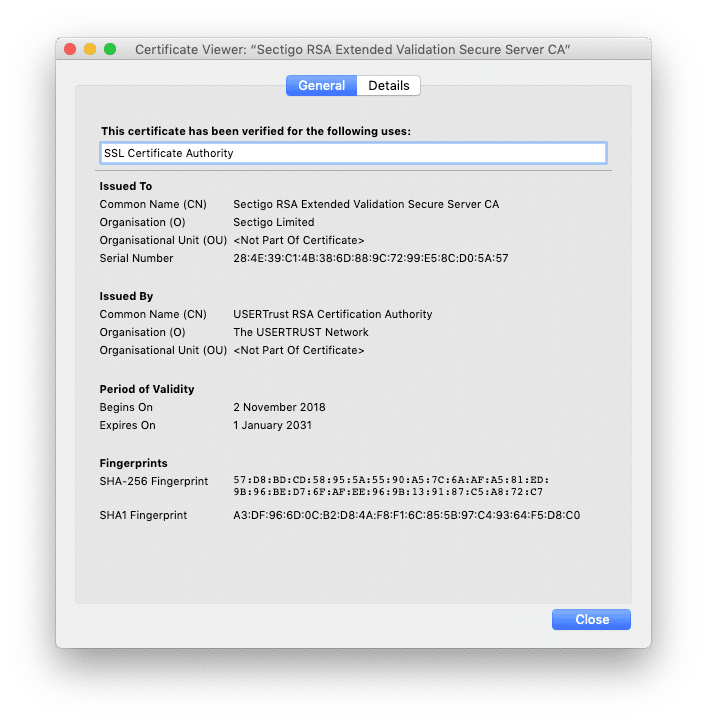
To sum up, a certificate is considered valid when:
However, one of the weak points of this process is that, if one element of the chain of trust is compromised, fraudulent certificates can be delivered.
An encrypted connection is established as following:
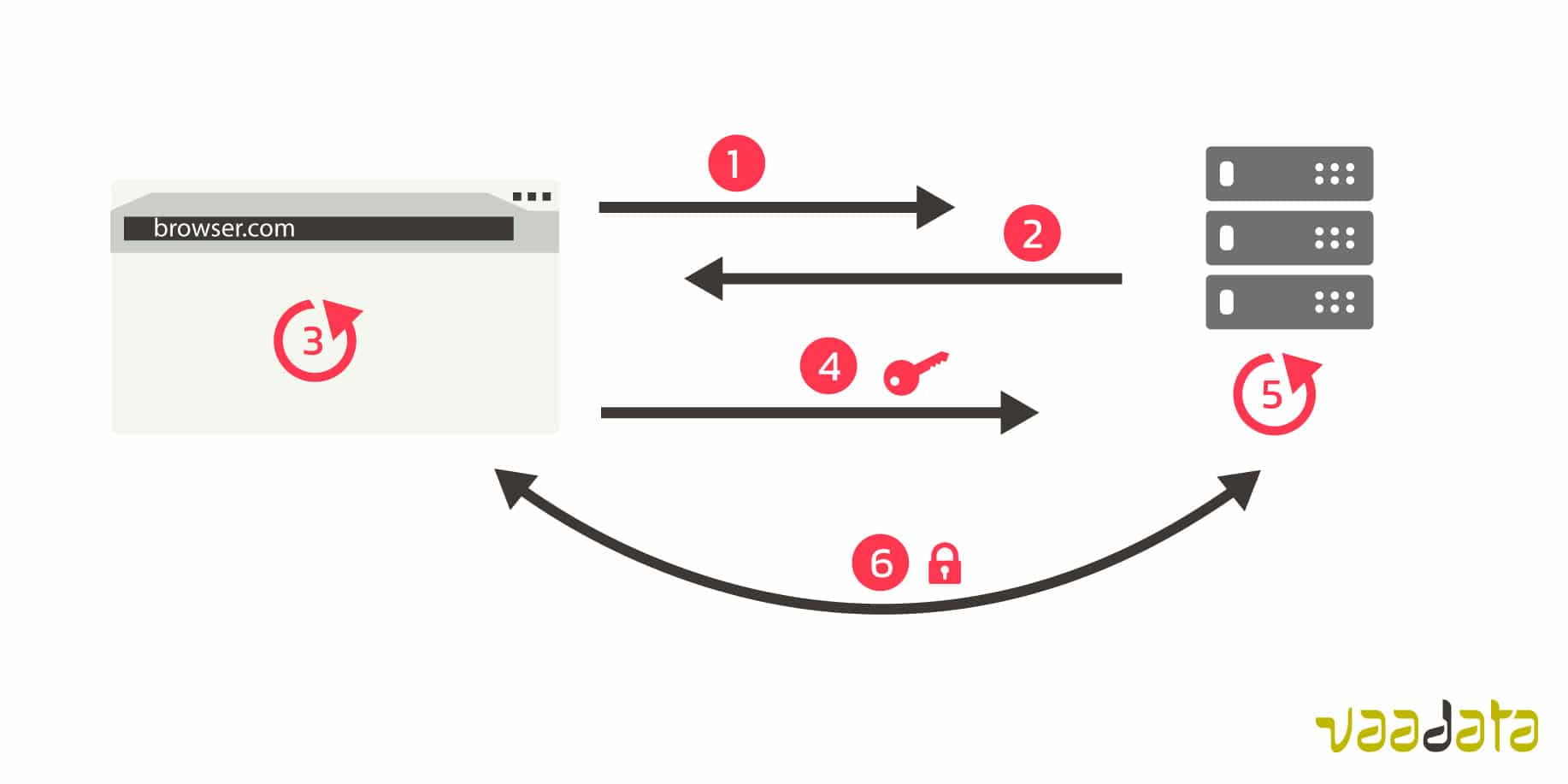
Let’s place ourselves now in the case of the use of a proxy (for example Burp) or of a Man-in-the-Middle attack.
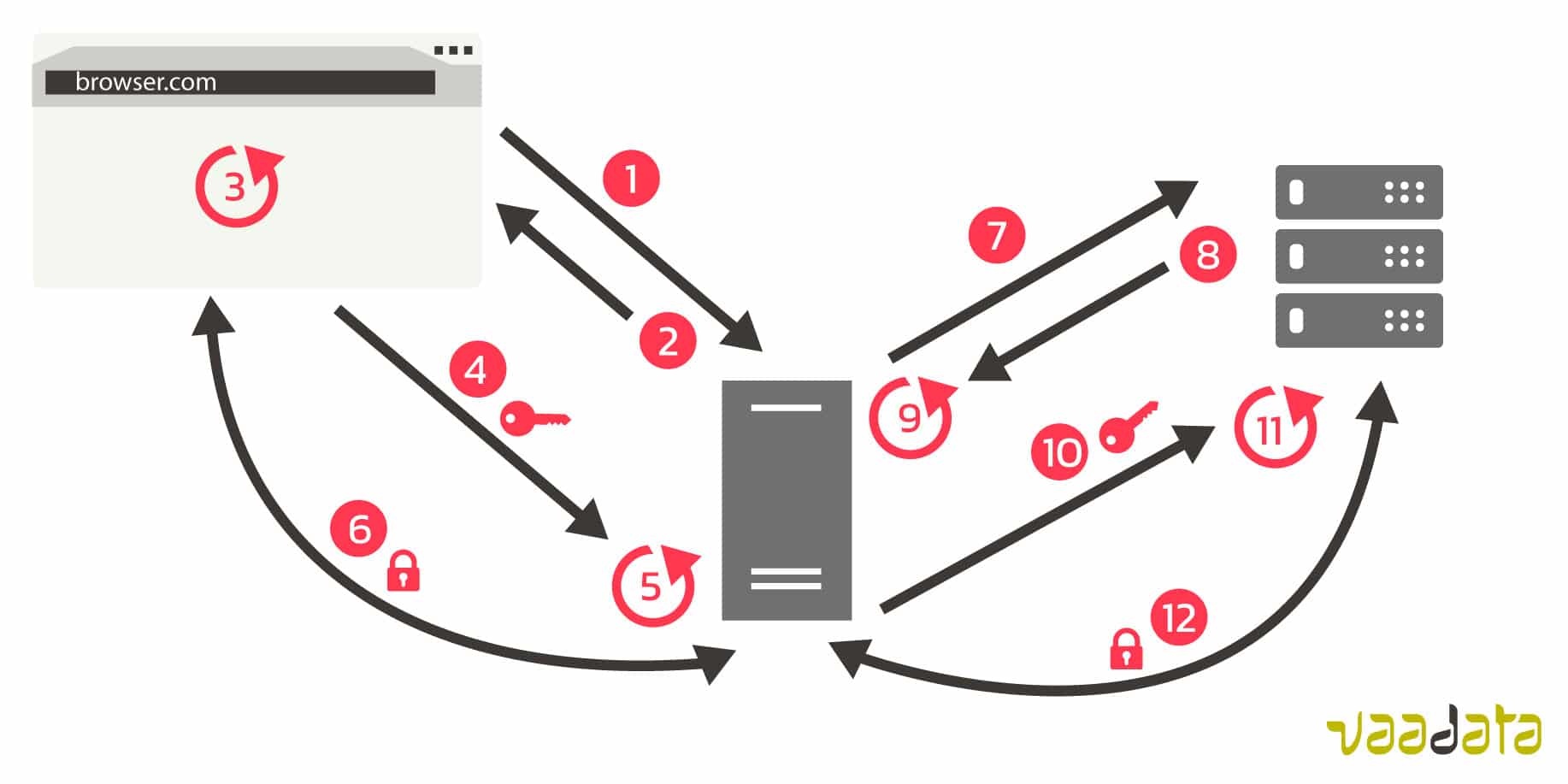
For this use case to work, it is necessary that the proxy or the attacker has a valid certificate. In the case of a proxy, we can for example install a root certificate certifying the proxy.
In the case of an attacker, he might have a valid certificate if a link in the chain of trust has been compromised. The attacker can also find a way to install a root certificate that he would have generated on the computer of its target.
To be sure to communicate securely with the right server, and therefore to protect oneself against a man-in-the-middle attack, some methods exist. We describe them below:
When the application receives the certificate sent by the server, it compares it with the certificate that it has inside.
If the comparison between the two certificates is different, the encrypted communication fails.
The use of certificate pinning is, most of the time, observed in the case of a mobile app, as it is easy for the developer to include the expected certificate.
When the certificate arrives to expiration, the app has to be updated to insert the new valid certificate. This is the disadvantage of this method : if a service regularly changes its certificate, the app has to be updated regularly.
This method consists in pinning a public key instead of a certificate. Then the public key pinned is compared to the public key extracted from the certificate.
Another method is to compare information hashes instead of the certificate, or of the public keys. This process has many advantages, such as:
Conclusion
The methods described above enable to strengthen the encrypted communication security. However, they are far from being infallible. Indeed, many tools exist to easily bypass them. For example, there is the ssl-kill-switch app on iOS. On Android, it is possible to use Frida scripts.
Implementation costs of these solutions appear as relatively high for the security advantage they bring. These protections concern rather applications manipulating sensitive data, such as banking applications.
To go further:
Ssl-kill-switch 2
Frida
Bibliography: https://www.owasp.org/index.php/Certificate_and_Public_Key_Pinning